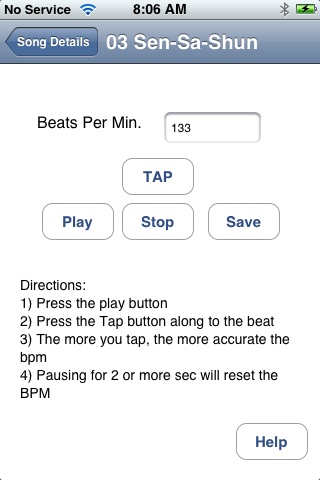
The "Count In" feature plays 4 beats before the song begins. This gives you time to move your hands back to your instrument. You can use "Tab Tempo" to set the tempo used to play the 4 beat count in.
The tap tempo feature makes it easy to set the BMP (beats per minute) of the song played at the normal speed. This value is used by the "Count In" functionality. Using the Tap Tempo features is really easy. Press the play button and start tapping along to the beat. Tap on the button labeled "Tap". The more you tap the more accurate the tempo calculation will be. The tempo is based on a moving average comprised of up to 9 taps.
If you make a mistake, you can reset the tap history by waiting 2 or 3 seconds and starting over.